
In a world where buffering wheels spin endlessly and Wi-Fi connections waver, there’s nothing quite as liberating as having your favorite content downloaded and ready to watch—anytime, anywhere. Imagine never again missing the climax of a gripping series because of a poor connection. Whether you’re on a flight, nestled in a remote cabin, or simply looking to conserve data, the ability to download streaming video is a game-changer. But it’s not just about convenience. It’s about control. Control over when, where, and how you enjoy your media. This guide is your ticket to unlocking that power, showing you how to save your favorite movies, shows, and videos offline with ease. Get ready to dive into a world where your entertainment is always just a click away, no strings attached.
Introduction: Why Downloading Streaming Video is a Game-Changer

The Benefits of Offline Viewing
In an era dominated by on-demand content, an offline video download has become more than just a luxury—it’s a necessity. Imagine the freedom of having your favorite shows, movies, or tutorials at your fingertips, without the worry of a weak Wi-Fi signal or data caps. Whether you’re a frequent traveler, a student with unpredictable internet access, or simply someone who prefers to keep a personal library of must-watch content, the benefits of offline media are undeniable.
Offline viewing allows you to take control of your entertainment. No more buffering. No more interruptions. Just pure, uninterrupted enjoyment. Whether you’re catching up on a series during a long flight, saving data while on the go, or simply wanting to rewatch your favorite moments without relying on streaming, having downloaded videos ensures your content is available when you need it, wherever you are. Plus, you’ll never have to scramble for a stable connection in the middle of that nail-biting season finale.
Beyond the convenience, downloading also opens the door to higher quality viewing experiences. Streaming platforms often compress videos to save bandwidth, which can sometimes result in less-than-stellar picture quality. When you download streaming content, you often have the option to choose higher resolutions, ensuring that you’re getting the best possible viewing experience. This is particularly important if you’re watching on a large screen, where every pixel counts.
Legal Considerations: What You Need to Know
Before diving into the world of offline viewing, it’s essential to consider the legal landscape. Not all downloading is created equal. While some streaming platforms offer official options for offline viewing, others have restrictions or outright bans on downloading content. Understanding these rules is crucial to staying on the right side of the law.
When it comes to how to download videos, the key is to focus on what’s legal and ethical. Many services, like Netflix or Amazon Prime Video, offer official download options within their apps. These are generally safe and legal to use, provided you adhere to their terms of service. On the other hand, using third-party tools or methods to download video from streaming services that don’t allow it can land you in hot water. Not only can this violate copyright laws, but it can also lead to account suspensions or bans.
It’s also worth noting that downloaded content is often restricted to personal use. Sharing or distributing downloaded videos can be a violation of copyright laws and can lead to severe penalties. So, while it’s tempting to pass along that amazing documentary to a friend, it’s safer—and more legal—to simply recommend they watch it themselves.
In summary, downloading streaming video is a game-changer that offers unparalleled convenience, quality, and control over your viewing experience. But it’s important to navigate the legal considerations carefully to ensure you’re staying within the bounds of what’s permissible. Armed with the right knowledge and tools, you can enjoy the best of both worlds—online and offline.
Understanding Streaming Video: What You’re Really Downloading
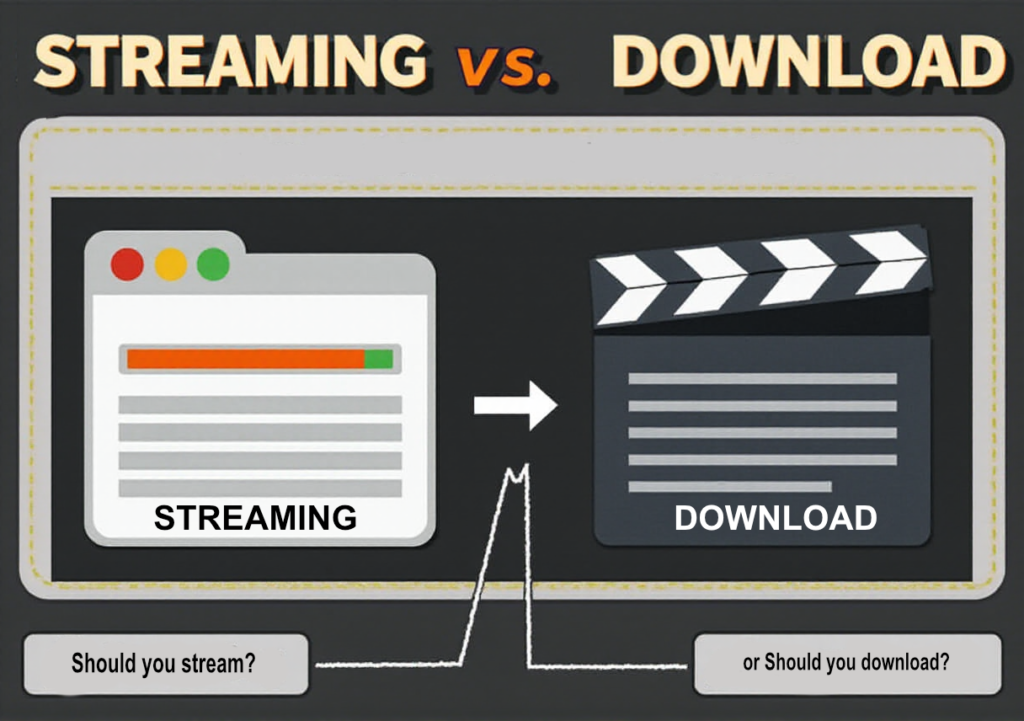
How Streaming Differs from Downloading
Streaming and downloading might seem like two sides of the same coin, but they’re worlds apart in terms of functionality and experience. Streaming is essentially real-time delivery. It allows you to watch or listen to content as it’s being transmitted from the server. Think of it as a digital river, where the flow of data is constant, and your device simply dips into the stream to play the content. The trade-off? You need a stable internet connection, and you’re often at the mercy of buffering, lag, or dreaded network outages.
Downloading, on the other hand, is more akin to filling a bucket from that river. Once you’ve downloaded the content, it’s stored locally on your device, meaning you can access it anytime without depending on the internet. This distinction is crucial because it empowers you with full control over your media consumption, free from the constraints of connectivity.
Types of Streaming Videos You Can Download
Not all streaming videos are created equal, and the types of content you can download vary depending on the platform and the tools you’re using. Broadly speaking, most platforms allow you to download on-demand videos—movies, TV shows, documentaries, and similar content that’s available at any time. Services like Netflix, Amazon Prime Video, and Disney+ typically offer this feature within their apps, making it easy to save videos for offline use.
However, downloading live streams is a different beast altogether. Platforms like YouTube Live, Twitch, or live broadcasts on social media often restrict downloads to protect intellectual property and ensure content creators retain control over their work. While there are third-party tools that can capture streaming video, this area is fraught with legal gray areas, so proceed with caution.
Another type of streaming video you might encounter is user-generated content. This includes videos from platforms like YouTube, Vimeo, or social media sites. Downloading this content is often trickier, as many platforms don’t natively support it. Yet, with the right video downloader software or browser extensions, you can save tutorials, vlogs, or your favorite DIY videos for offline video playback.
Supported File Formats: What Works Best for Your Needs
When downloading streaming videos, file format is more than just a technical detail—it’s a key factor that can significantly impact your viewing experience. The format you choose will affect everything from video quality to compatibility with your devices.
The most common video format you’ll encounter is MP4, which is widely supported across all devices and offers a good balance between quality and file size. MP4 files are typically compressed, meaning they won’t take up too much space on your device, but still deliver clear, sharp visuals. If you’re unsure which format to choose, MP4 is usually the safest bet.
For those who prioritize quality above all else, MKV might be the format of choice. MKV files can store multiple video, audio, and subtitle tracks in one file, making it ideal for high-definition content like Blu-ray rips. However, not all devices support MKV natively, so you may need to install additional software to play these files.
Other formats like AVI, MOV, and WMV are also available, but they tend to be less common and may offer varying degrees of compatibility and quality. Understanding these formats ensures that you’ll be able to enjoy your downloaded content without a hitch, whether you’re watching on a smartphone, tablet, or big-screen TV.
In summary, grasping the differences between streaming and downloading, knowing the types of videos you can download, and choosing the right file format will ensure you get the most out of your offline viewing experience.
Tools of the Trade: Best Software and Apps for Downloading Streaming Video
Top Free Tools for Beginners
If you’re just dipping your toes into the world of downloading streaming video, starting with free tools is a smart move. They offer robust functionality without the commitment of a price tag, perfect for beginners. One of the best video download tools is 4K Video Downloader. It’s user-friendly and supports downloads from a range of platforms including YouTube, Vimeo, and TikTok. With just a few clicks, you can save videos in various resolutions, from 720p all the way up to 4K.
Another excellent free tool is JDownloader. This open-source software is a bit more advanced, allowing you to download entire playlists or channels with ease. It’s highly customizable, letting you set preferences for file formats and quality, making it ideal for those who want a bit more control without spending a dime.
For those focused on browser-based content, ClipGrab is a fantastic option. It’s lightweight, straightforward, and supports downloads from numerous video sites. Plus, it converts videos into different formats right after downloading, so you can ensure compatibility with your device.
Premium Software Options: Are They Worth It?
While free tools are great, premium software can take your downloading experience to the next level. These options usually come with added features like faster download speeds, higher-quality video options, and more comprehensive customer support. One standout in this category is YTD Video Downloader Pro. This software not only allows you to download high-quality video but also converts them to various formats, including MP3 if you’re just after the audio. The Pro version is ad-free, offers faster downloads, and supports batch downloading, making it a strong contender for serious users.
Another premium option to consider is Allavsoft. It’s not just a downloader but also a powerful video converter that supports over 1000 websites. What sets Allavsoft apart is its ability to download and convert in one step, simplifying the process. If you frequently download large files or entire playlists, the speed and reliability of premium software can save you time and frustration.
Browser Extensions That Make Downloading a Breeze
For those who prefer a more integrated experience, browser extensions are a game-changer. These handy tools allow you to download videos directly from the streaming site without the need to open a separate application. Video DownloadHelper is a top pick for Chrome and Firefox users. It supports multiple video formats and lets you download videos as you browse. It’s particularly useful for grabbing videos from social media platforms and lesser-known sites that might not be supported by standalone software.
Flash Video Downloader is another popular extension that works across various platforms, including Facebook, Dailymotion, and more. It’s incredibly easy to use—just a click of a button and your video is downloading. However, it’s worth noting that these extensions can sometimes be limited by the website’s restrictions, so they’re best used in conjunction with other tools.
Mobile Apps for On-the-Go Downloads
In our mobile-centric world, having the ability to download videos on the go is a must. Apps like TubeMate are designed specifically for Android users and make downloading from YouTube a breeze. With TubeMate, you can select your desired resolution before downloading, ensuring you get the best quality for your device.
For iOS users, Documents by Readdle is a versatile app that not only manages your files but also allows you to download videos from various sites using its integrated browser. While not as straightforward as TubeMate, it’s a powerful tool for handling downloads and file management on iOS devices.
In conclusion, whether you’re just starting out or are a seasoned downloader, there’s a tool out there to fit your needs. From free software to premium options, browser extensions to mobile apps, these tools provide the flexibility and power to download streaming videos efficiently and effectively.
Step-by-Step Guide: How to Download Streaming Video on Any Device
Downloading on Windows: Easy Methods for PC Users
Windows users have several efficient options for downloading streaming videos. 4K Video Downloader is a straightforward choice for an offline video download. Install the software, copy the URL of the video you want, and paste it into the program. Choose your preferred format and quality, and start the download. Within minutes, your video will be saved to your PC, ready for offline enjoyment.
Another effective tool is JDownloader. Ideal for handling multiple downloads or large files, JDownloader detects copied video links automatically. After installation, it allows you to set preferences for format and quality, supporting a wide range of streaming sites. This tool is particularly useful for those who frequently download from various platforms, offering excellent video download solutions.
Downloading on Mac: Best Tools for Apple Fans
For Mac users, Folx offers a great combination of download management and torrenting. Install Folx, enter the video URL, and choose your desired quality and format. Folx also supports scheduling downloads, which can save bandwidth by running during off-peak hours—perfect for managing video downloads efficiently.
Another effective tool is Airy, a lightweight app designed specifically for YouTube downloads. After installation, paste the video link, select your resolution, and download directly to your Mac. Airy supports batch downloading, making it easy to save multiple videos simultaneously for offline viewing.
Downloading on iOS: Save Videos on Your iPhone or iPad
Downloading videos on iOS requires some workarounds due to Apple’s restrictions. Documents by Readdle is a versatile app that lets you download videos through its built-in browser. Navigate to your video, tap the download button, and save it to your device’s storage. You can later move it to your Photos app or keep it within Documents, making it a solid choice for offline media.
MyMedia is another option for iOS users. It acts as a download manager, allowing you to save videos from various websites directly onto your iPhone or iPad. Open the in-app browser, find your video, and initiate the download. MyMedia supports multiple formats and resolutions, offering flexibility based on your storage needs and how you prefer to save streaming video offline.
Downloading on Android: Quick Tips for Android Users
Android’s open nature provides more flexibility for downloading videos. TubeMate is a popular app for downloading YouTube videos. After installing TubeMate (available as an APK), search for your video within the app, select the resolution, and start the download. TubeMate also lets you save videos as MP3 files if you’re interested in just the audio, providing a versatile solution for capturing streaming video.
VidMate is another versatile option that supports downloads from various platforms, including Facebook, Instagram, and Vimeo. Install VidMate, search for your video, choose the quality, and download it directly to your device. VidMate includes a built-in media player, making it convenient for offline video playback.
In summary, regardless of the device you’re using, downloading streaming videos is manageable with the right tools. From Windows to Mac, iOS to Android, these methods ensure you can enjoy your favorite content offline with ease and efficiency, using some of the best video download tools available.
Downloading from Popular Streaming Platforms: A Detailed Walkthrough
How to Download Videos from YouTube
Downloading videos from YouTube is a common need, and there are several ways to do it. For direct offline video download, 4K Video Downloader is a solid choice. Install the software, copy the video URL from YouTube, and paste it into the program. Select the desired quality and format, and start the download. This method is straightforward and supports high-definition videos, making it an excellent option for saving streaming video offline.
For those using browser extensions, Video DownloadHelper is an excellent option. Add the extension to your browser, navigate to the YouTube video, and click the DownloadHelper icon. Choose your preferred format and quality, and the video will be saved to your device. This method is quick and integrates seamlessly with your browsing experience, making it one of the best video download apps.
Downloading from Netflix: What You Can and Can’t Do
Netflix allows downloads of some content directly through its app, but this feature comes with limitations. To download videos, open the Netflix app on your device, locate the movie or TV show you want to save, and look for the download icon. Note that not all titles are available for download due to licensing restrictions, which can impact your video storage solutions.
The downloads are stored within the Netflix app and are viewable only through it, meaning you can’t transfer these files to other devices or players. Additionally, downloaded content typically expires after a set period or when your subscription ends, so be mindful of these time constraints and manage your offline media accordingly.
Saving Videos from Amazon Prime Video
Amazon Prime Video also supports downloads, but like Netflix, it’s limited to content available on the platform. Open the Amazon Prime Video app, find the movie or show you want to download, and tap the download icon. The video will be saved to your device for offline viewing within the app.
One advantage of Amazon’s download feature is the ability to choose video quality, which can help manage your device’s storage space. Similar to Netflix, downloaded videos are accessible only through the Prime Video app and are subject to expiration based on licensing agreements. This is useful for those looking for reliable video download techniques.
How to Download Content from Hulu
Hulu offers a download feature for select content, particularly for its subscribers with the No Ads plan. To download videos, open the Hulu app and find the show or movie you wish to save. Tap the download icon next to the episode or movie. Downloads are stored within the Hulu app and are available offline as long as your subscription remains active.
One key detail to note is that Hulu’s offline content is available for a limited time, and you may need to reconnect to the internet periodically to refresh the download status. This ensures you stay updated with the latest video download tips.
[Try StreamFAB – One of the best video downloaders out there for Netflix, Amazon, Hulu, and more!]
Grabbing Videos from Social Media: Facebook, Instagram, and More
Social media platforms like Facebook and Instagram don’t offer native video downloading features, but you can still save videos using various methods. For Facebook, FDown.net is a useful tool. Copy the video URL from Facebook, paste it into FDown’s website, and choose your download option. This method allows you to save videos in different resolutions, offering various offline video file formats.
For Instagram, InstaDownloader is a handy online tool. Paste the URL of the Instagram post into InstaDownloader’s website, and you can download the video directly to your device. This tool supports both posts and stories, making it versatile for various types of content. It’s one of the best apps for video downloads and capturing streaming video.
In summary, downloading from popular streaming platforms requires different approaches depending on the service. While platforms like YouTube and social media sites offer various tools and methods for capturing streaming video, streaming services like Netflix, Amazon Prime Video, and Hulu have built-in download options with specific restrictions. Understanding these nuances ensures you can save your favorite content effectively and enjoy it offline whenever you like, using the best video download tools and techniques available.
Advanced Techniques: How to Download Streaming Video in High Quality
Choosing the Right Resolution: From 480p to 4K
When saving streaming video offline, selecting the right resolution is crucial for achieving the best viewing experience. Resolutions vary from standard-definition 480p to ultra-high-definition 4K, and each serves different needs and preferences.
For general viewing on smaller screens, 480p is often sufficient and results in smaller file sizes, which is ideal if storage space is a concern. However, if you’re watching on larger screens or want a more immersive experience, opting for HD resolutions like 720p or 1080p is advisable. These resolutions offer a noticeable improvement in clarity and detail, making them great for offline video playback.
For the ultimate in quality, 4K resolution provides stunning visuals with exceptional clarity and detail. To download videos in 4K, you’ll need a tool that supports this high resolution, such as 4K Video Downloader. Ensure that the source video is available in 4K to make the most of this option. Keep in mind that 4K files are significantly larger and require ample offline media storage.
[StreamFAB can download full TV seasons in batches with ease and speed. Try it today!]
Converting Downloaded Files to Your Preferred Format
After capturing streaming video, you might find that the file format isn’t compatible with your device or preferred media player. Converting the file to a more suitable format can enhance playback and compatibility.
HandBrake is a popular free tool for converting video files. It supports a wide range of formats, including MP4, MKV, and AVI. With HandBrake, you can adjust settings such as resolution, bitrate, and codec to ensure optimal quality and compatibility. Simply load your downloaded video into HandBrake, select your desired output format, and start the conversion process.
For users who prefer a more straightforward approach, Online Video Converter offers a web-based solution. Upload your video file, choose the desired format and quality settings, and let the tool handle the conversion. This method is quick and doesn’t require additional software installation, making it one of the best video download tools.
Merging Video and Audio Streams for the Best Quality
Some downloads involve separate video and audio streams, particularly for high-quality content. Merging these streams ensures that you get the best audio-visual experience.
FFmpeg is a powerful tool for this purpose. It’s a command-line utility that allows you to combine video and audio files into a single cohesive file. With FFmpeg, you can merge streams while preserving the quality of both audio and video. The process involves using specific commands to input your files and output a combined result.
For a more user-friendly approach, MKVToolNix is a great alternative. This software provides a graphical interface for merging video and audio tracks. Simply add your files, arrange them as needed, and let MKVToolNix create the final combined file. This tool supports a variety of formats and is excellent for users who prefer a visual interface over command-line operations.
In conclusion, achieving high-quality downloads involves careful consideration of resolution, format conversion, and stream merging. By choosing the right resolution, converting files to compatible formats, and merging audio and video streams, you can enhance your offline viewing experience and enjoy your favorite content with the highest possible quality.
Troubleshooting: Common Issues and How to Fix Them
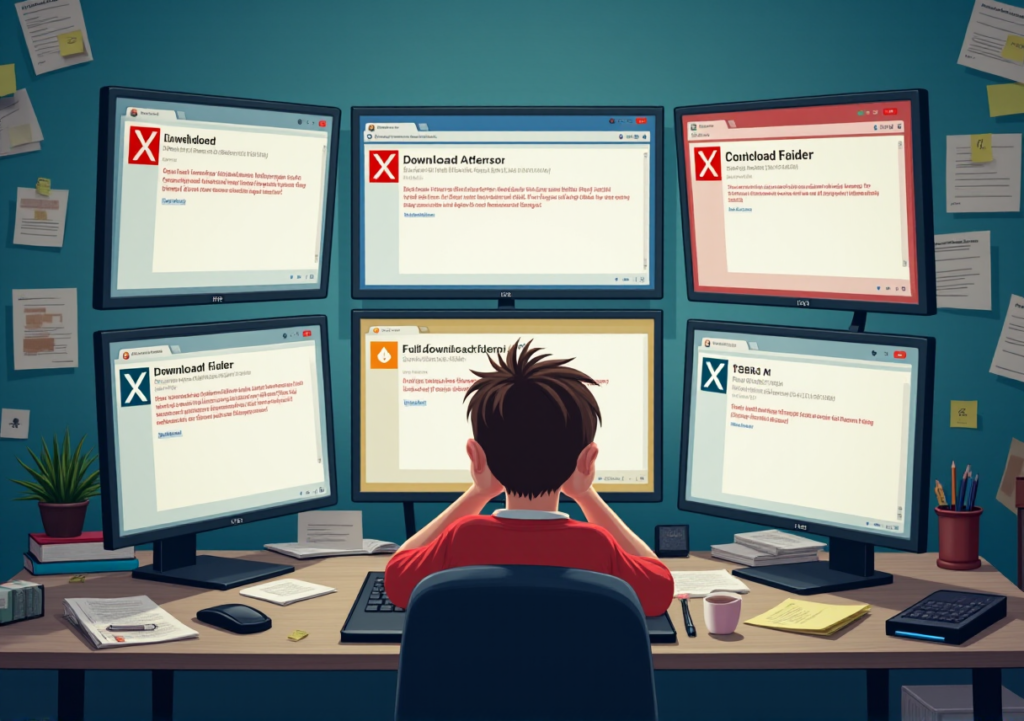
What to Do If Your Download Fails
A failed download can be frustrating, but don’t lose hope—there are several steps you can take to troubleshoot the issue. First, check your internet connection. A weak or unstable connection can interrupt the download process. Ensure you have a stable and strong connection before attempting to download again.
Another common issue is a problem with the download source. Sometimes, the server hosting the video may experience downtime or technical issues. In such cases, try downloading the video at a different time or using an alternative source if available. This is especially useful for managing video downloads effectively.
If the problem persists, verify that your download tool or app is up to date. Outdated software can cause compatibility issues and failures. Check for any available updates and install them to ensure you’re using the latest version of the video downloader software.
How to Fix Incomplete or Corrupted Downloads
Incomplete or corrupted downloads can be a major inconvenience, but there are effective solutions to address these issues. If a download is incomplete, it may be due to a sudden interruption or a network glitch. To resolve this, try re-downloading the video from the beginning. Most download tools will automatically resume if the interruption was minor, but a fresh start can sometimes clear up issues.
For corrupted downloads, where the file appears damaged or doesn’t play properly, try using a file repair tool. Digital Video Repair is a useful free application that can fix minor corruption issues. Load the corrupted file into the tool, and follow the instructions to repair it. This can restore the file’s integrity, allowing you to watch it without problems.
If repair tools don’t resolve the issue, consider re-downloading the video from a different source or using an alternative download method. This can help bypass any issues related to the original file or server, ensuring you successfully save streaming content.
Handling DRM Protection: What You Should Know
Digital Rights Management (DRM) protection is designed to prevent unauthorized copying and distribution of content. While DRM is effective at protecting intellectual property, it can also complicate your attempts to download and save videos.
If you encounter DRM protection, the first thing to know is that it often prevents you from downloading or playing the content outside the official app or service. To handle this, use the official download features provided by streaming services when available. For instance, Netflix and Amazon Prime Video offer built-in download options that are DRM-compliant.
In cases where DRM protection is preventing downloads, avoid using unauthorized tools or methods to bypass these restrictions, as this can be illegal and unethical. Instead, explore whether the streaming service offers alternative viewing options, such as offline playback within their app. If DRM is a major barrier, consider reaching out to customer support for guidance on how to access content legally and within the service’s terms of use.
In summary, troubleshooting download issues involves checking your connection, updating tools, and using repair software. For DRM-protected content, rely on official download methods and avoid unauthorized bypasses. By addressing these common problems effectively, you can enhance your downloading experience and ensure smooth access to your favorite videos.
Storing Your Downloads: Best Practices for Managing Your Video Library
Organizing Your Video Files: Tips for Easy Access
Efficient organization of your video files is essential for hassle-free access and management. Start by creating a clear folder structure on your device. Use broad categories such as “Movies,” “TV Shows,” and “Documentaries,” and further subdivide these into genres or series. For instance, within the “Movies” folder, you might have subfolders for “Action,” “Comedy,” and “Drama.”
Naming conventions also play a crucial role. Use consistent and descriptive file names that include the title and year, such as “Inception_2010.mp4.” This makes it easy to locate specific videos without having to open each file. If possible, include metadata in your file names, like episode numbers for TV series, to streamline navigation.
Implementing a tagging system can further enhance organization. Tags or labels help in quickly finding related content. For example, tagging a file with “Sci-Fi” can group all science fiction movies or shows together, simplifying searches and reducing time spent looking for files. These practices are especially useful for managing video downloads and creating an efficient offline media library.
External Storage Solutions: Keep Your Downloads Safe
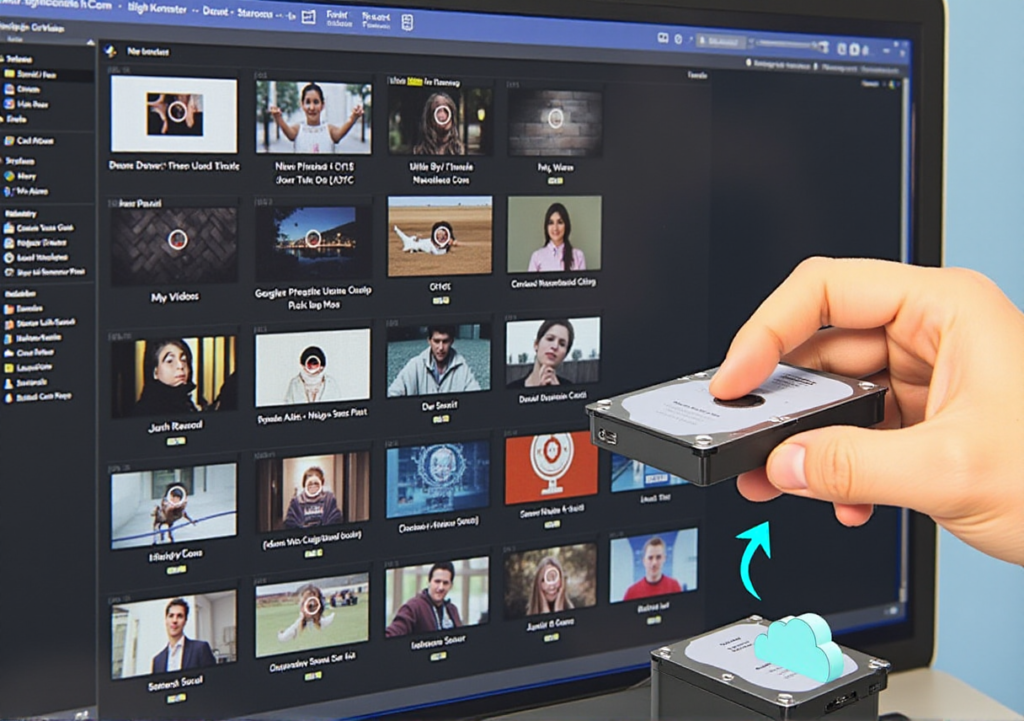
External storage solutions offer a practical way to safeguard your video library. External hard drives are a popular choice due to their large storage capacity and reliability. Invest in a high-quality external drive with ample space to accommodate your growing collection. They are portable and easy to connect via USB, providing a straightforward way to back up your files.
Solid State Drives (SSDs) are another option, offering faster data transfer speeds and increased durability compared to traditional hard drives. Although more expensive, SSDs are ideal if you need quick access to your videos and prefer a more rugged storage solution. These drives are excellent for offline video playback and ensuring your saved videos are always accessible.
For added security, consider using NAS (Network Attached Storage) devices. NAS systems connect to your home network, allowing multiple devices to access the stored videos. They also offer redundancy options like RAID configurations, which protect against data loss in case of drive failure. This setup is a great way to manage video storage solutions effectively.
Cloud Storage Options: Access Your Videos Anywhere
Cloud storage provides the flexibility of accessing your videos from virtually anywhere, as long as you have an internet connection. Google Drive and Dropbox are popular choices for general cloud storage needs. They offer ample space and easy sharing options, allowing you to store and access your videos across multiple devices.
For a more specialized cloud solution, pCloud offers a service tailored to media files, with options for offline access and large file uploads. It provides a virtual drive that syncs with your computer, making it as easy to use as local storage but with the added advantage of cloud accessibility. This is particularly useful for saving movies offline and ensuring you always have your favorite content available.
In summary, effective management of your video library involves organizing files systematically, using reliable external storage solutions, and leveraging cloud services for flexible access. By implementing these best practices, you can ensure your downloaded videos are easily accessible, securely stored, and always available whenever you need them.
Legal and Ethical Considerations: Downloading Streaming Video Safely

Understanding Copyright Laws
Navigating the legal landscape of downloading streaming video requires a solid understanding of copyright laws. Copyright law is designed to protect the rights of creators and owners of original content. When you download a video, you are interacting with content that is often copyrighted, which means it’s protected by law against unauthorized reproduction and distribution.
Under copyright law, downloading videos without permission can infringe on the rights of the content creators. This includes not only copying the content but also distributing or sharing it without authorization. It’s essential to respect these rights to avoid legal repercussions and support the creators who produce the content we enjoy.
When Downloading is Legal: Fair Use and Educational Purposes
There are circumstances under which downloading streaming video is permissible, primarily falling under “fair use” and educational purposes. Fair use allows for limited use of copyrighted material without permission under certain conditions. This includes uses for criticism, commentary, news reporting, teaching, scholarship, or research. For instance, downloading a short clip for a review or educational project might be considered fair use.
Educational institutions often have specific licenses that allow them to use copyrighted content for teaching and research. If you are a student or educator, check with your institution to understand what is permissible under their licensing agreements. Some platforms also offer legal download options for educational or personal use, which can be a safe and lawful way to access content.
Always review the terms of service of the streaming platforms you use. Many platforms provide guidance on what types of downloads are allowed and under what conditions. Staying informed helps ensure that your downloading practices remain within the bounds of the law, whether you’re saving streaming video offline or exploring video download tips.
Avoiding Piracy: Stay on the Right Side of the Law
Avoiding piracy is crucial to maintaining ethical and legal downloading practices. Piracy refers to the unauthorized copying and distribution of copyrighted material, and engaging in such activities can lead to significant legal consequences. To stay on the right side of the law, only use legitimate methods to download or stream content.
Ensure that any tools or software you use for downloading videos are legal and licensed. Many unauthorized tools that promise free downloads may not only be illegal but also pose risks to your device’s security. Opt for reputable software and services that comply with copyright laws and offer legitimate downloading options, such as video download software reviews for reliable recommendations.
Also, be cautious when dealing with third-party websites or services that offer to download content from streaming platforms. Often, these sites operate in a legal gray area and may expose you to legal risks or malware. Stick to well-known, trusted sources and always verify that the content is provided in a lawful manner.
In conclusion, downloading streaming videos responsibly involves understanding and respecting copyright laws, recognizing when downloading is legally permissible, and avoiding piracy. By adhering to these guidelines, you can enjoy your favorite content while supporting the creators and staying compliant with the law.
Frequently Asked Questions: Everything You Need to Know
Is Downloading Streaming Video Safe?
Downloading streaming video can be safe if done correctly. Using reputable software and services ensures your downloads are both legal and secure. Always opt for official tools provided by streaming platforms or trusted video download apps with good reviews. Beware of suspicious sites or tools that promise free downloads but may compromise your device’s security or expose you to malware.
However, even with secure tools, it’s crucial to consider the source of your downloads. Stick to well-known and licensed services to avoid legal issues and maintain your cybersecurity. By following these best practices, you can enjoy your downloaded content with peace of mind, knowing that your files and devices are protected.
Can You Download Live Streams?
Downloading live streams presents a different challenge compared to regular on-demand content. Generally, most platforms do not offer direct options for downloading live streams due to their real-time nature. Once a live stream is over, the video may be available for download or on-demand viewing if the platform provides that feature.
If you need to capture streaming video, consider using screen recording software as a workaround. Applications like OBS Studio or Camtasia can record your screen while you watch the live stream, creating a downloadable file. However, ensure you are compliant with copyright laws and terms of service, as recording live content may not be permitted by all platforms.
How Much Space Do You Need for Downloads?
The amount of space required for video downloads depends on several factors, including the resolution, length of the video, and the file format. High-definition videos, especially those in 4K, take up significantly more space than standard definition content. For example, a 1-hour HD movie might require around 1-3 GB, whereas a 4K movie could use up to 20 GB or more.
When planning your downloads, consider the total storage capacity of your device or external storage. It’s a good idea to regularly check and manage your available space to prevent running out while downloading large files. If you’re dealing with a large collection of videos, investing in additional offline media storage or using cloud storage solutions can help manage your video library efficiently.
In summary, downloading streaming video can be done safely with the right tools and precautions. Live streams may require alternative methods for saving, such as screen recording, and storage needs will vary based on video quality and length. By understanding these aspects, you can effectively manage your downloads and keep your video library organized and accessible.
Conclusion: Mastering the Art of Downloading Streaming Video
Recap of Key Points
Navigating the world of downloading streaming video involves understanding a few critical elements. Firstly, recognizing the difference between streaming and downloading helps you grasp what’s actually being saved to your device. Tools and techniques vary across different platforms and devices, from PC and Mac to mobile gadgets. Choosing the right resolution and format ensures that your downloads maintain high quality, while proper organization and storage solutions help keep your video library manageable.
Understanding how to save streaming content offline is essential, whether you’re using offline viewing apps or managing offline media. Legal and ethical considerations are paramount. Understanding copyright laws and respecting content creators’ rights are essential to avoiding legal pitfalls. Downloading for personal use, educational purposes, or fair use is generally acceptable, but always stay informed about the legalities. Moreover, staying clear of piracy and using legitimate sources helps you enjoy your content without repercussions.
Encouragement to Start Downloading Responsibly
Now that you’re equipped with the knowledge on how to download videos effectively, it’s time to put it into practice—responsibly. Embrace the freedom of offline viewing while adhering to legal and ethical guidelines. Whether you’re archiving your favorite series or preparing content for a long trip, responsible downloading enhances your media experience without compromising your integrity or security.
Begin by selecting the best video download tools and applications suited to your needs. Test various methods to find what works best for you, and always use legitimate sources to ensure the safety and legality of your downloads. Remember, the goal is to enjoy your content seamlessly while respecting the boundaries set by copyright laws and platform policies.

How to Stay Updated with New Tools and Techniques
The digital landscape is ever-evolving, with new tools and techniques emerging regularly. To stay ahead and make the most of your downloading experience, keep yourself updated with the latest advancements. Follow tech blogs, subscribe to newsletters, and engage with online communities focused on video downloading and streaming.
Regularly check for updates to your existing video downloader software and explore new options that may offer enhanced features or improved functionality. Many developers release updates or new products that can simplify your downloading process or provide additional capabilities, such as higher quality downloads or more user-friendly interfaces. This proactive approach will help you effectively manage video downloads and keep pace with the dynamic world of streaming media.
In conclusion, mastering the art of downloading streaming video involves a blend of practical knowledge, ethical practices, and staying current with technology. Armed with these insights, you can confidently manage your video library, savor your favorite content offline, and enjoy a seamless media experience.
Bonus Section: Recommended Tools and Accessories for Downloading Streaming Video
Best Headphones for Offline Viewing
To truly immerse yourself in your downloaded videos, investing in high-quality headphones can make a world of difference. Noise-canceling headphones are ideal for creating a distraction-free environment, allowing you to enjoy your content with crystal-clear sound. Brands like Bose and Sony offer excellent models that combine comfort with superior audio performance, perfect for long viewing sessions.
If you prefer a more budget-friendly option, look for headphones with good sound isolation and a balanced sound profile. The Audio-Technica ATH-M50X and Sennheiser HD280 Pro are popular choices that provide great audio quality without breaking the bank. Comfortable ear cushions and adjustable headbands are features to consider for extended use.
For those who like a wireless experience, Bluetooth headphones are a convenient choice. They offer freedom of movement and eliminate the hassle of tangled wires. The Apple AirPods Pro and Jabra Elite 85h are top contenders in this category, providing excellent sound quality and effective noise cancellation.
Top External Hard Drives for Video Storage
When it comes to storing large video files, having reliable external hard drives is crucial. External hard drives offer ample storage space and are essential for managing your growing collection of downloaded content. Look for drives with large capacities and fast transfer speeds to ensure quick access and efficient file management.
The Western Digital My Passport and Seagate Backup Plus are highly recommended for their reliability and performance. They come in various capacities, from 1TB to 5TB, providing plenty of room for high-definition videos. Additionally, consider drives with built-in encryption features for added security of your media files.
For those needing ultra-fast access and transfer speeds, solid-state drives (SSDs) like the Samsung T7 or SanDisk Extreme Pro offer superior performance compared to traditional hard drives. They are more durable and can handle frequent access and transfers, making them ideal for heavy users and professionals.
[Download with speed and ease from most streaming services with StreamFAB]
Screen Recording Tools: When Downloading Isn’t an Option
Sometimes, downloading isn’t possible, and you need to capture video content on the fly. Screen recording tools are invaluable for these situations, allowing you to record everything that happens on your screen. Applications like OBS Studio and Camtasia are highly versatile and can capture high-quality video and audio from your streaming sessions.
OBS Studio is a free, open-source tool that offers advanced features for recording and streaming. Its flexibility and customization options make it suitable for various recording needs. On the other hand, Camtasia provides an easy-to-use interface with built-in editing tools, perfect for creating polished recordings and tutorials.
For quick and straightforward recordings, Snagit is a great option. It offers a simple interface and powerful features for capturing and sharing screen content, making it a go-to for casual users who need reliable performance without a steep learning curve.
In summary, enhancing your offline viewing experience involves choosing the right accessories. High-quality headphones improve audio immersion, reliable external hard drives ensure ample storage, and screen recording tools provide flexibility when downloading isn’t feasible. With these tools, you’ll be well-equipped to enjoy your content to the fullest, anytime and anywhere.